CaptureProof Pro
Capture · Detect · Redact · Report

Full-page screenshots
without privacy mistakes

Capture any web page, automatically find the sensitive information on it, black it out in one click, and export a client-ready proof report.
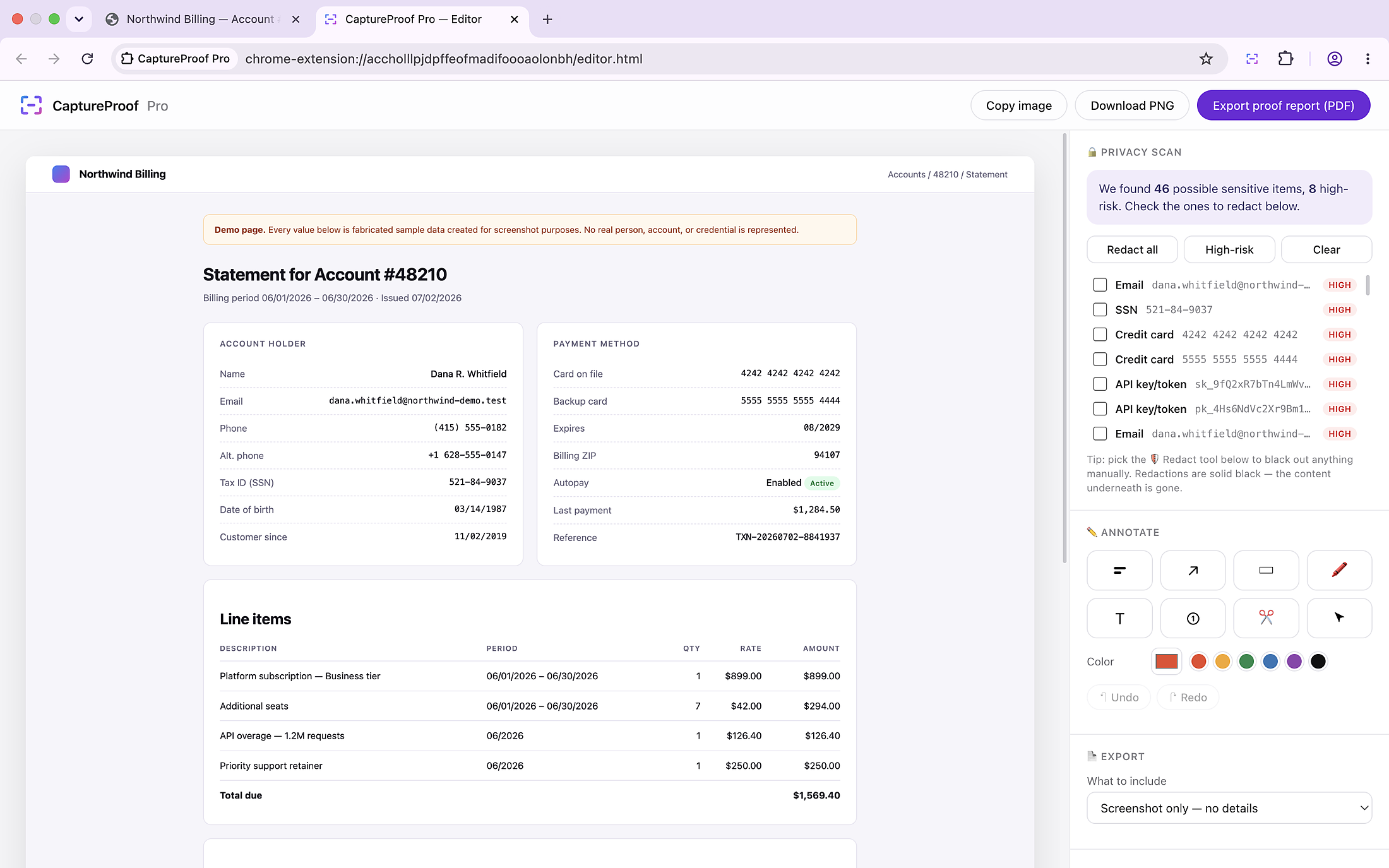
The CaptureProof Pro editor listing detected sensitive items, highest risk first
Secure capture

Local-first processing enabled

Local-first processing. Your data never leaves your browser unless you choose to share.
The workflow

Four steps, none of them leave your browser

1

Capture

The full page, scrolled and stitched automatically. Or a visible area, or a region.

2

Detect

Emails, phone numbers, cards, tax IDs, keys and tokens — rated, highest risk first.

3

Redact

All at once, high-risk only, or item by item. Solid black painted into the image.

4

Report

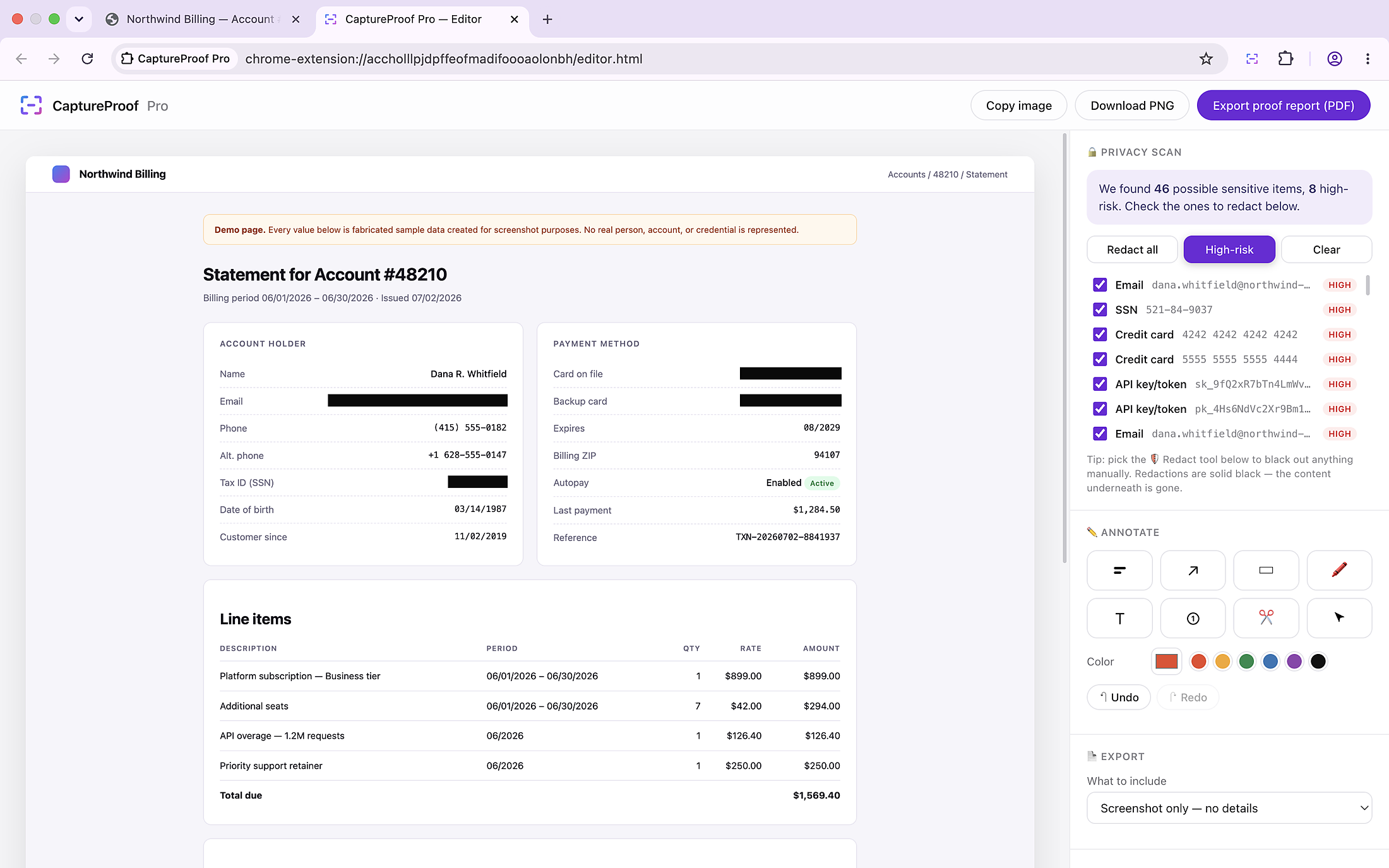
A plain PNG, or a PDF proof carrying the source URL, page title and capture time.

What it does

Built for screenshots you have to send

Pattern detection

Finds what you'd rather not publish

Every capture is scanned for the formats that most often cause a leak. Each hit is rated, and the high-risk ones sort to the top so you can triage at a glance.

EmailsSSNsCardsAPI keysTokensPhonesIPsAmountsDatesLong IDs
High risk — redacted first Detected — review before sharing
Irreversible redaction

Redaction that can't be undone

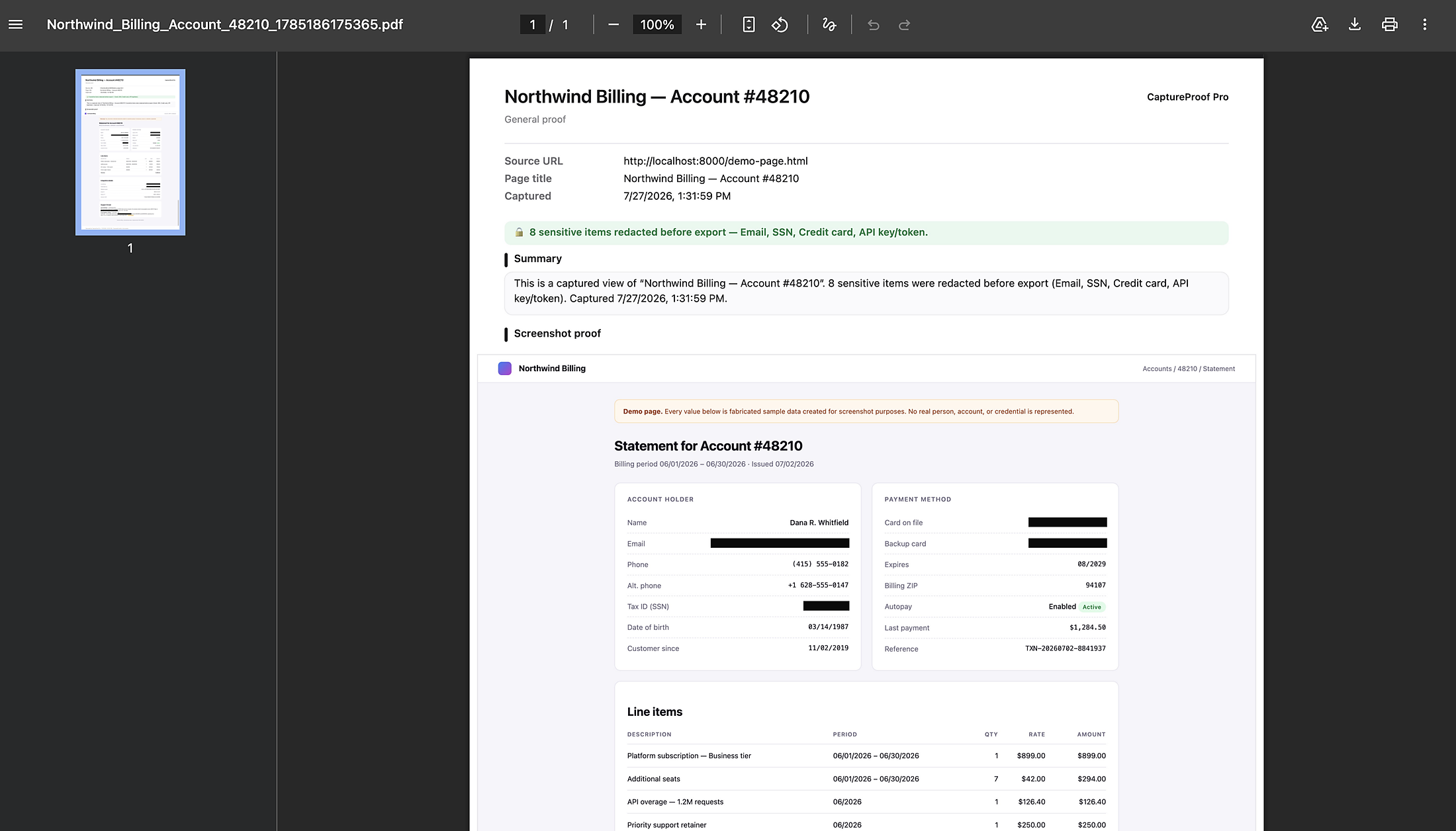
Black boxes are painted into the image itself, not layered over it. The pixels underneath are gone — there is nothing for a recipient to peel back.

Provenance

Provenance on every report

Each proof records the source URL, the page title, the capture time, and a summary of exactly what was redacted.

Annotate and export

Client-ready in one pass

Arrows, boxes, highlights, numbered steps, text and crop — then export as PNG or PDF, with templates for client updates, support tickets and bug reports.

See it in action
Privacy

There is no server to send anything to

No network requests The extension contains no code that opens a connection. There is no backend.
No account, no analytics, no tracking Nothing about you is gathered, profiled, or sent anywhere.
Captures are deleted immediately Stored only to hand the image to the editor tab, then removed in the same step.
No host permissions It cannot run on any page you haven't explicitly asked it to capture.
On detection: pattern matching catches common formats, but it is an assistant, not a guarantee. Unusual formats can be missed and ordinary text is occasionally flagged. Review every capture before sharing it — the manual redaction tool is there for anything the scan does not catch.

Read the full privacy policy →